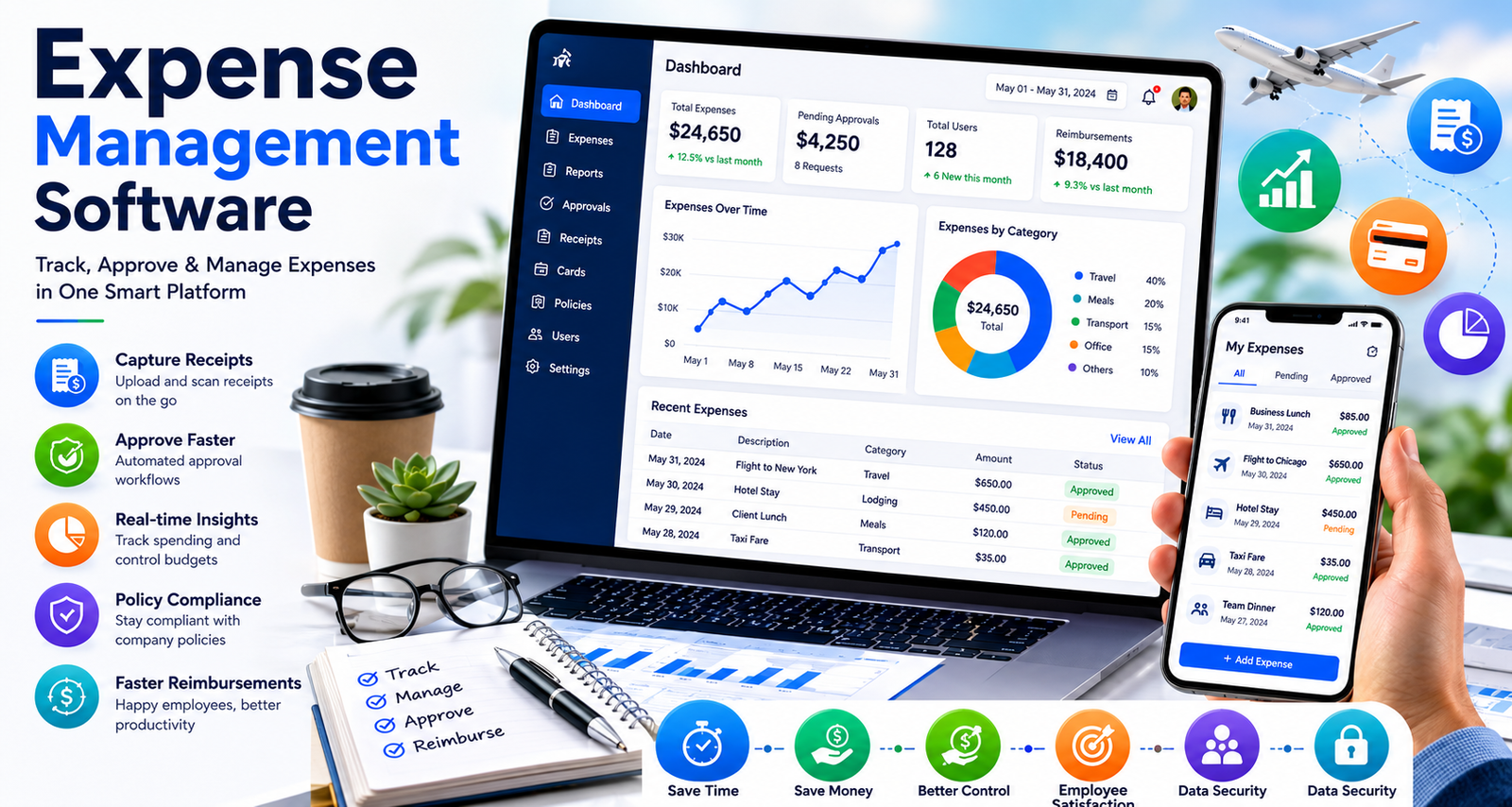
Expense Management Software
Managing business expenses can become difficult when receipts, travel costs, and employee reimbursements are handled manually. Many companies still use spreadsheets and paper records, which often lead to mistakes, lost receipts, and delayed approvals. This is why more businesses are choosing expense management software to simplify their financial processes.
Whether you run a small business, a growing startup, or a large company, the right software can help control spending, improve accuracy, and save valuable time. In this guide, we will explain how expense management software works, its benefits, key features, and how to choose the best solution for your business.
What Is Expense Management Software?
Expense management software is a digital tool that helps businesses track, manage, approve, and report company expenses. Instead of collecting paper receipts and entering information manually, employees can upload expenses through a web platform or mobile app.
The software automatically records expenses, organizes data, and creates reports for managers and finance teams. This makes it easier to monitor company spending and maintain accurate financial records.
Businesses across the USA use these systems to reduce paperwork, speed up reimbursements, and gain better control over budgets.
Why Businesses Need Expense Management Software
Business expenses happen every day. Employees travel, buy supplies, attend conferences, and pay for services needed to complete their work. Without a proper system, tracking these expenses can become confusing.
Some common challenges include:
| Challenge | Impact on Business |
|---|---|
| Lost receipts | Missing expense records |
| Manual data entry | Increased errors |
| Slow approvals | Delayed reimbursements |
| Lack of spending visibility | Budget control issues |
| Compliance risks | Financial reporting problems |
Expense management software helps solve these problems by creating a centralized system for expense tracking and reporting.
How Expense Management Software Works
The process is usually simple and user-friendly.
- An employee makes a business-related purchase.
- The receipt is uploaded through a mobile app.
- The software records expense details.
- The expense is sent for approval.
- Managers review and approve requests.
- Approved expenses are added to reports.
- Finance teams process reimbursements.
Many modern platforms also connect with accounting software, reducing manual work and improving accuracy.
Benefits of Expense Management Software
Saves Time
Manual expense tracking requires employees and finance teams to spend hours entering information. Automated systems reduce these tasks significantly.
Employees can upload receipts within seconds, while managers can approve expenses from their smartphones or computers.
Reduces Human Errors
Mistakes often occur when information is entered manually. Automated systems help reduce errors by capturing receipt data and organizing expenses correctly.
This improves reporting accuracy and financial record keeping.
Faster Reimbursements
Employees appreciate quick reimbursement processes. When approvals move faster, reimbursements can be completed sooner.
A smooth reimbursement process also improves employee satisfaction.
Better Expense Visibility
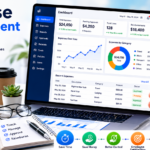
Managers can monitor company spending in real time. This helps identify spending trends and areas where costs can be reduced.
Better visibility supports smarter financial decisions.
Improved Compliance
Expense policies become easier to enforce when software automatically checks spending against company guidelines.
This helps businesses maintain compliance and reduce unnecessary expenses.
Key Features to Look for in Expense Management Software
Not all solutions offer the same features. Businesses should evaluate their needs before choosing a platform.
Receipt Scanning
Receipt scanning allows employees to upload photos of receipts directly from their mobile devices.
The software extracts important information automatically, reducing manual entry.
Automated Approval Workflows
Approval workflows route expenses to the correct managers.
This feature speeds up reviews and prevents approval delays.
Mobile Access
Many employees travel frequently or work remotely. Mobile apps make expense submission easy from anywhere.
A strong mobile experience improves adoption across the organization.
Expense Reporting
Detailed reports help businesses analyze spending patterns.
Reports often include:
- Department expenses
- Travel expenses
- Employee spending
- Budget comparisons
- Vendor spending
Accounting Integration
Integration with accounting systems reduces duplicate data entry.
This creates a smoother workflow between expense tracking and financial reporting.
Policy Enforcement
Some platforms automatically flag expenses that violate company policies.
This helps prevent unauthorized spending and strengthens financial controls.
Travel and Expense Management Software Explained
Many businesses need more than basic expense tracking. Employees often travel for meetings, conferences, and client visits. Managing travel expenses manually can create additional challenges.
This is where travel and expense management software becomes valuable.
Travel and expense solutions combine travel booking, expense reporting, and reimbursement management in one platform.
Common Travel Expenses Managed
| Expense Type | Examples |
| Airfare | Domestic and international flights |
| Hotels | Business accommodations |
| Transportation | Rental cars, taxis, rideshares |
| Meals | Business meals and client meetings |
| Conference Fees | Event registrations |
| Parking | Airport and city parking costs |
This centralized approach improves efficiency and reduces administrative work.
Benefits of Travel Expense Management Software
Easier Travel Tracking
Travel expense management software allows businesses to track every travel-related expense in one location.
Finance teams can quickly review travel costs and identify spending trends.
Improved Budget Control
Travel budgets are easier to manage when all expenses are visible.
Managers can monitor spending before costs exceed approved limits.
Better Employee Experience
Employees no longer need to save paper receipts or complete lengthy reimbursement forms.
Mobile apps make expense reporting quick and convenient.
Stronger Policy Compliance
Travel policies can be built directly into the system.
Employees receive guidance on approved spending limits, helping reduce policy violations.
Industries That Benefit From Expense Management Software
Many industries rely on expense management tools.
Professional Services
Consultants, legal firms, and accounting companies often handle travel and client-related expenses.
Automated expense tracking improves efficiency and billing accuracy.
Healthcare
Healthcare organizations manage conferences, training programs, and operational expenses.
Digital tracking simplifies financial management.
Construction
Construction companies frequently deal with project-based expenses.
Expense management software improves visibility across multiple job sites.
Technology Companies
Tech businesses often have remote teams and frequent business travel.
Modern software supports mobile expense reporting and remote approvals.
Sales Organizations
Sales representatives regularly incur travel and entertainment expenses.
Automated systems streamline reporting and reimbursement.
Also check – Expense Management Software: Simplify Business Spending and Control Costs
How to Choose the Best Expense Management Software
Finding the best expense management software depends on your business needs.
Consider the following factors before making a decision.
Company Size
Small businesses may need simple expense tracking features.
Larger organizations often require advanced approval workflows and detailed reporting.
Ease of Use
A user-friendly interface encourages employees to submit expenses correctly.
Complicated systems often result in lower adoption rates.
Mobile Functionality
Mobile access is essential for employees who travel frequently.
Choose software with strong mobile capabilities.
Integration Options
The software should connect with existing accounting and financial systems.
Integration reduces manual work and improves efficiency.
Security
Financial data must be protected.
Look for providers that offer secure data storage, encryption, and strong access controls.
Customer Support
Reliable support helps businesses resolve issues quickly.
Strong customer service is especially important during implementation.
Signs Your Business Needs Expense Management Software
Many companies wait too long before upgrading their expense processes.
Here are common signs that indicate it’s time for a better solution:
- Employees submit paper receipts.
- Expense approvals take several days.
- Reimbursement delays are common.
- Finance teams spend excessive time on reports.
- Budget tracking is difficult.
- Expense errors occur frequently.
- Travel costs are hard to monitor.
If several of these challenges sound familiar, investing in expense management software may provide immediate benefits.
Best Practices for Successful Implementation
Choosing software is only the first step. Proper implementation is equally important.
Create Clear Expense Policies
Employees should understand what expenses are allowed and what documentation is required.
Clear policies reduce confusion and approval delays.
Train Employees
Provide training sessions to ensure employees know how to submit expenses correctly.
Proper training improves adoption rates.
Monitor Performance
Track key metrics after implementation, including:
- Expense processing time
- Reimbursement speed
- Policy compliance rates
- Reporting accuracy
Monitoring results helps identify opportunities for improvement.
Encourage Mobile Usage
Mobile apps often increase employee participation and speed up submissions.
Encourage staff to upload receipts immediately after purchases.
Future Trends in Expense Management Software
Technology continues to improve expense management processes.
Artificial Intelligence
AI-powered tools can categorize expenses automatically and detect unusual spending patterns.
Real-Time Reporting
Businesses increasingly want instant access to expense data.
Real-time dashboards provide faster financial insights.
Greater Automation
Automation reduces manual work and speeds up approvals, reporting, and reimbursements.
Cloud-Based Solutions
Cloud platforms allow employees to access expense systems from any location.
This flexibility supports remote and hybrid work environments.
Frequently Asked Questions
What is expense management software?
Expense management software is a digital solution that helps businesses track, approve, manage, and report employee expenses more efficiently.
Why is expense management software important?
It improves accuracy, reduces paperwork, speeds up reimbursements, and gives businesses better control over spending.
What is travel and expense management software?
Travel and expense management software combines travel booking, expense tracking, approvals, and reporting into a single platform.
How does travel expense management software help businesses?
Travel expense management software simplifies travel-related spending, improves compliance, and provides better visibility into travel costs.
Can small businesses use expense management software?
Yes. Many solutions are designed specifically for small businesses and offer affordable plans with essential features.
How does receipt scanning work?
Employees take a photo of a receipt using a mobile app. The software extracts important information and records the expense automatically.
Does expense management software reduce errors?
Yes. Automated data capture and digital workflows help reduce manual entry mistakes and improve reporting accuracy.
Conclusion
Managing expenses manually can slow down business operations and increase the risk of errors. Modern expense management software helps organizations streamline expense tracking, improve visibility, and reduce administrative work. Businesses that frequently handle employee travel can benefit even more from travel and expense management software and travel expense management software, which simplify both travel planning and expense reporting.
When selecting the best expense management software, focus on ease of use, automation, reporting capabilities, mobile access, and integration options. The right solution can save time, improve compliance, support better financial decisions, and create a smoother experience for employees and finance teams alike. As businesses continue to embrace digital tools, expense management software remains an important investment for long-term efficiency and growth.