Cloud Backup Solutions for Small Business: A Complete Guide to Data Protection and Business Security
Introduction to Cloud Backup Solutions for Small Business
Every small business depends on data to operate smoothly. Customer records, financial documents, employee information, invoices, contracts, and business files are all important parts of daily operations. Losing this information because of hardware failure, cyberattacks, accidental deletion, or natural disasters can create serious problems for any company.
Many small business owners believe data loss only happens to large corporations, but small businesses are often more vulnerable because they may not have advanced security systems or dedicated IT teams. A single data breach or system crash can interrupt operations, damage customer trust, and create financial loss.
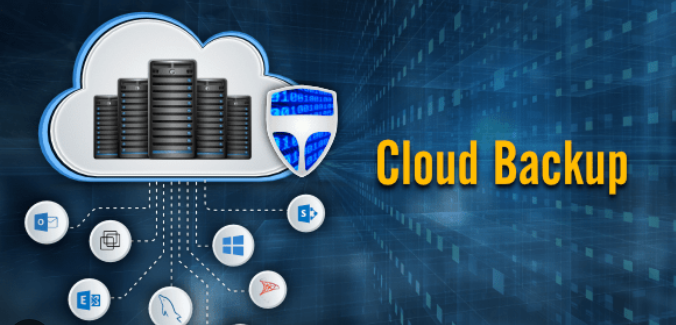
This is why many companies invest in cloud backup solutions for small business operations. Cloud backup systems help businesses store copies of important files on secure online servers. These backups can be restored quickly if data is lost, damaged, or stolen.
This guide explains how cloud backup works, why it matters for small businesses, what features to look for, and how to choose the right backup solution for long-term business protection.
What Is a Cloud Backup Solution: Cloud Backup Solutions for Small Business
A cloud backupsolution is a service that stores copies of business data on remote online servers instead of relying only on local storage devices.
The backup process usually happens automatically through an internet connection. Files, documents, databases, and system information are copied to secure cloud servers where they remain protected.
If a business experiences data loss, the information can be restored from the cloud backup system.
Cloud backup solutions help protect businesses from:
- Hardware failure
- Cyberattacks
- Accidental deletion
- Ransomware
- Fire or flood damage
- Power failures
- System corruption
Unlike traditional storage methods, cloud backups provide access from multiple locations and reduce the risk of losing files permanently.
Why Small Businesses Need Cloud Backup Solutions
Small businesses handle valuable information every day. Even a small amount of lost data can affect operations, customer relationships, and financial stability.
Many business owners rely only on local computers or external hard drives. While these methods provide some protection, they are still vulnerable to theft, physical damage, or technical failure.
Cloud backup solutions provide additional security and reliability.
Key Reasons Small Businesses Need Cloud Backup: Cloud Backup Solutions for Small Business
| Reason | Benefit |
|---|---|
| Data Protection | Prevents permanent file loss |
| Business Continuity | Keeps operations running after disruptions |
| Cybersecurity Support | Helps recover after ransomware attacks |
| Remote Access | Allows access from different locations |
| Automatic Backup | Reduces manual work |
| Disaster Recovery | Protects against unexpected emergencies |
Without proper backups, recovering lost data can become expensive or impossible.
Also check- Small Company Payroll Software
How Cloud Backup Works: Cloud Backup Solutions for Small Business
Cloud backup systems operate by copying business data to secure online servers.
The process usually involves several steps:
- Files are selected for backup.
- Data is encrypted for security.
- Information is transferred through the internet.
- Files are stored on cloud servers.
- Automatic updates keep backups current.
Many systems perform backups automatically at scheduled times. This ensures important files remain updated without requiring constant manual action.
If data is lost, users can log into the backup system and restore files quickly.

Types of Cloud Backup Solutions: Cloud Backup Solutions for Small Business
Different cloud backup systems serve different business needs.
Public Cloud Backup
Public cloud services store data on shared infrastructure managed by a provider.
Benefits include:
- Lower costs
- Easy setup
- Scalability
- Minimal maintenance
This option is common for small businesses with limited budgets.
Private Cloud Backup
Private cloud systems use dedicated infrastructure for one business.
Benefits include:
- Greater control
- Enhanced security
- Custom configurations
Private cloud solutions may cost more but provide stronger customization options.
Hybrid Cloud Backup
Hybrid systems combine local storage and cloud storage.
This approach allows businesses to:
- Access files quickly from local systems
- Maintain offsite protection through cloud storage
Many businesses choose hybrid systems for additional flexibility.
Important Features to Look For: Cloud Backup Solutions for Small Business
Choosing the right cloud backup solution requires careful evaluation of features.
Automatic Backup
Automatic backup reduces the risk of forgetting to save important files.
The system should perform scheduled backups regularly without requiring manual work.
Data Encryption
Encryption protects sensitive business information from unauthorized access.
Strong encryption is especially important for businesses handling:
- Financial records
- Customer information
- Healthcare data
- Employee files
File Versioning
Version history allows businesses to restore older copies of files.
This feature is useful when:
- Files are accidentally edited
- Data becomes corrupted
- Ransomware affects documents
Fast Recovery Options
Quick recovery helps reduce downtime during emergencies.
Businesses should choose systems that allow rapid restoration of critical files.
Scalability
As businesses grow, storage needs increase.
A scalable backup solution can expand without requiring major system changes.
Benefits of Cloud Backup Solutions for Small Businesses
Cloud backup systems provide several long-term advantages.
Improved Data Security
Cloud providers often use advanced security measures that small businesses may not afford independently.
These measures may include:
- Encryption
- Firewalls
- Multi-factor authentication
- Security monitoring
Reduced Risk of Data Loss
Even if office computers fail, backup copies remain available online.
This protects businesses from permanent file loss.
Lower Hardware Costs
Traditional backup systems often require expensive physical storage devices.
Cloud storage reduces the need for:
- Large servers
- External drives
- Maintenance equipment
Better Remote Access
Cloud systems allow employees to access files from different locations.
This supports:
- Remote work
- Flexible operations
- Multi-location businesses
Easier Business Continuity
Businesses recover faster after emergencies because data remains accessible online.
Common Threats That Cloud Backup Helps Prevent
Modern businesses face many digital threats.
Ransomware Attacks
Ransomware locks files until payment is made.
Cloud backups allow businesses to restore clean copies without paying attackers.
Hardware Failure
Hard drives and servers eventually fail.
Cloud backups protect data even if equipment becomes unusable.
Human Error
Employees sometimes delete files accidentally.
Backup systems make file recovery easier.
Natural Disasters
Floods, fires, storms, and earthquakes can destroy office equipment.
Offsite cloud storage protects important data from physical damage.
Cloud Backup vs Traditional Backup: Cloud Backup Solutions for Small Business
Understanding the difference between cloud and traditional backup methods helps businesses make informed decisions.
| Feature | Cloud Backup | Traditional Backup |
|---|---|---|
| Storage Location | Online servers | Physical devices |
| Accessibility | Remote access available | Limited local access |
| Automation | Usually automatic | Often manual |
| Scalability | Easy expansion | Hardware upgrades needed |
| Disaster Protection | Strong offsite protection | Vulnerable to local damage |
| Maintenance | Managed by provider | Managed internally |
Cloud backup often provides more flexibility and reliability for growing businesses.
Industries That Benefit from Cloud Backup: Cloud Backup Solutions for Small Business
Many industries rely heavily on digital data.
Healthcare
Medical offices store sensitive patient information that requires protection.
Legal Services
Law firms manage contracts, records, and confidential documents.
Retail Businesses
Retail companies rely on inventory systems and customer databases.
Financial Services
Financial businesses need secure storage for transaction records and reports.
Education
Schools and training centers manage student records and educational materials.
Almost every business can benefit from secure cloud backup systems.
Challenges Small Businesses May Face: Cloud Backup Solutions for Small Business
Although cloud backup offers many benefits, businesses may encounter challenges during implementation.
Internet Dependency
Cloud systems rely on internet connectivity.
Slow internet speeds may affect backup performance.
Storage Costs
Larger storage requirements may increase monthly costs over time.
Security Concerns
Businesses must choose trusted providers with strong security practices.
Employee Training
Employees may require guidance on using backup and recovery systems properly.
Planning ahead helps reduce these challenges significantly.
How to Choose the Right Cloud Backup Provider: Cloud Backup Solutions for Small Business
Evaluate Security Features
Look for providers offering:
- Encryption
- Multi-factor authentication
- Secure data centers
- Regular security updates
Review Storage Limits
Ensure the provider offers enough storage for both current and future needs.
Check Recovery Speed
Fast restoration reduces downtime during emergencies.
Compare Pricing
Understand:
- Monthly costs
- Storage fees
- Additional service charges
Cost Factors in Cloud Backup Solutions: Cloud Backup Solutions for Small Business
Cloud backup pricing depends on several factors.
| Cost Factor | Description |
|---|---|
| Storage Size | Larger storage increases pricing |
| Number of Devices | More systems may increase costs |
| Backup Frequency | Frequent backups may affect pricing |
| Security Features | Advanced security may cost more |
| Recovery Services | Premium recovery options may add fees |
Small businesses should balance affordability with reliability and security.
Data Recovery and Disaster Recovery Planning: Cloud Backup Solutions for Small Business
Backup systems are most valuable during emergencies.
A disaster recovery plan outlines how businesses restore operations after disruptions.
Important Recovery Planning Steps
- Identify critical business data
- Schedule regular backups
- Test recovery systems
- Train employees
- Create emergency response procedures
Testing backups regularly ensures files can actually be restored when needed.
Best Practices for Small Business Cloud Backup: Cloud Backup Solutions for Small Business
Following best practices improves backup reliability.
Backup Data Regularly
Frequent backups reduce the amount of information lost during problems.
Use Strong Passwords
Secure login credentials protect backup accounts from hackers.
Enable Multi-Factor Authentication
Extra security layers reduce unauthorized access risk.
Monitor Backup Activity
Businesses should review backup reports regularly to ensure systems work properly.
Test File Recovery
Recovery testing confirms that backups remain usable.
Future Trends in Cloud Backup Technology: Cloud Backup Solutions for Small Business
Cloud technology continues evolving rapidly.
Artificial Intelligence Integration
Some systems now use AI to identify threats and optimize storage automatically.
Improved Cybersecurity Features
Advanced threat detection is becoming more common in backup platforms.
Faster Recovery Systems
New technologies continue improving restoration speed and efficiency.
Greater Automation
Automation reduces manual tasks and improves reliability.
Small businesses may benefit from these improvements as cloud technology becomes more advanced.
Mistakes to Avoid When Choosing a Backup Solution: Cloud Backup Solutions for Small Business
Businesses sometimes make costly backup mistakes.
Choosing Price Over Quality
Cheap services may lack security or reliable support.
Ignoring Security Standards
Weak security increases the risk of data breaches.
Failing to Test Backups
Unverified backups may fail during emergencies.
Backing Up Infrequently
Infrequent backups increase data loss risk.
Not Planning for Growth
Businesses should choose systems that can expand with future needs.
Avoiding these mistakes improves long-term protection.
Long-Term Value of Cloud Backup Solutions
Cloud backup is not just a technical tool. It is an investment in business stability and security.
Reliable backup systems help businesses:
- Protect customer trust
- Reduce financial losses
- Recover faster after disruptions
- Maintain operational continuity
- Improve confidence in digital systems
For many small businesses, strong backup protection becomes an essential part of long-term growth.
Conclusion
Data loss can create serious problems for any business, especially small companies with limited resources. Hardware failure, cyberattacks, accidental deletion, and natural disasters can interrupt operations and damage financial stability.
Cloud backup solutions for small business operations provide reliable protection by storing important files securely online. These systems help businesses recover quickly, improve security, and maintain business continuity during unexpected events.
Understanding the available features, security options, recovery tools, and pricing structures helps business owners choose the right solution for their needs. By investing in a dependable cloud backup strategy, small businesses can protect valuable information and operate with greater confidence in an increasingly digital world.